
security.casecure.app is where you look after who can open your secure doors, floors and hall calls with CA Secure.
People don't need an account. You give them access, they get a one-time link by email, and they open it in the CA Secure app on their phone. An SMS code proves the link is on their phone.
What you can do here
- See who can open each lock, and who has opened it.
- Give access to one person or many, with hours, days and a last day.
- Make a visitor pass for one day.
- Answer requests from people waiting for their SMS code.
- Withdraw or pause access, and handle a lost phone.
- See activity: every opening, wrong attempts, and who changed what.
- Get alerts by email.
Who can do what
Every account looks after one or more places: a whole site, a building, or single locks.
| Role | Can do |
|---|---|
| Site admin | Everything here, for a whole site. Adds Building admins, Lock admins, Front desk and Viewers. |
| Building admin | Everything here, for one building. Adds Lock admins, Front desk and Viewers. |
| Lock admin | Everything here, for single locks. Can add another Lock admin for the same lock. |
| Front desk | Looks up people and locks, and makes visitor passes. Can't change anyone's access. |
| Viewer | Sees locks and openings, and downloads them. Can't change anything. |
Each page of this manual says who can use it.
Words used in this manual
- Site: a whole property, for example a hospital or an office park. A site has one or more buildings.
- Door, floor, hall call: the three kinds of secure module. A floor is a button inside an elevator. A hall call is the call button outside the elevator.
- Access: one person's right to open one door, floor or hall call.
- PATHs: a route in CA Secure through several locks and elevators. You don't set these up here.
The menu
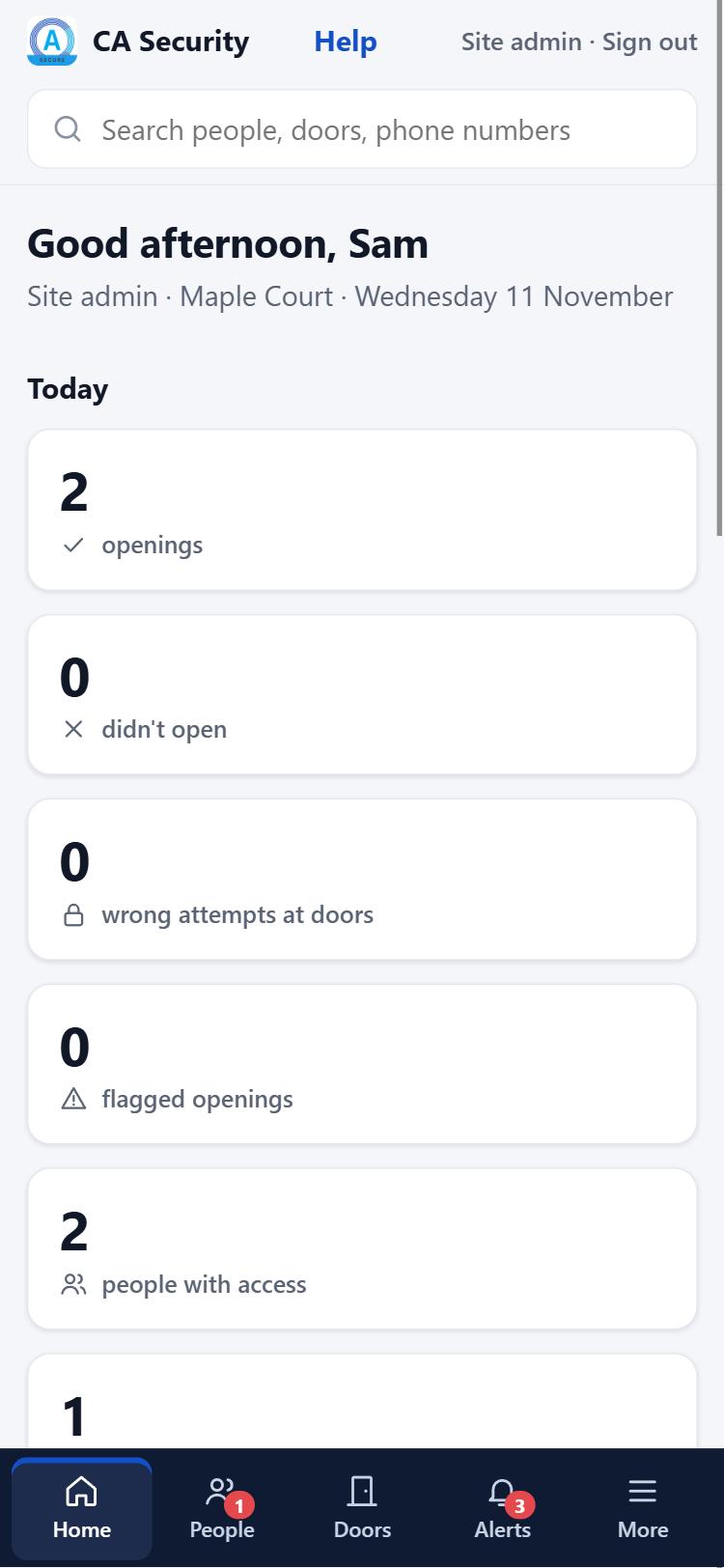
On a phone the menu is at the bottom; on a computer it's on the left (see the picture in chapter 3).
- Home: search, today's numbers, what needs attention.
- People: people, visitor passes, groups, requests.
- Locks: every secure door, floor and hall call at your places.
- Alerts: what's worth a look in the last 7 days, with a number for what's new (chapter 11).
- Activity: openings, wrong attempts, phone checks, changes.
- Setup: team, email and text alerts, schedules, holidays, My sign-in.
On a phone, Activity and Setup are under More, with Help and Sign out.
You only see the parts your role can use.