
Everyone. Front desk and Viewers see fewer numbers.
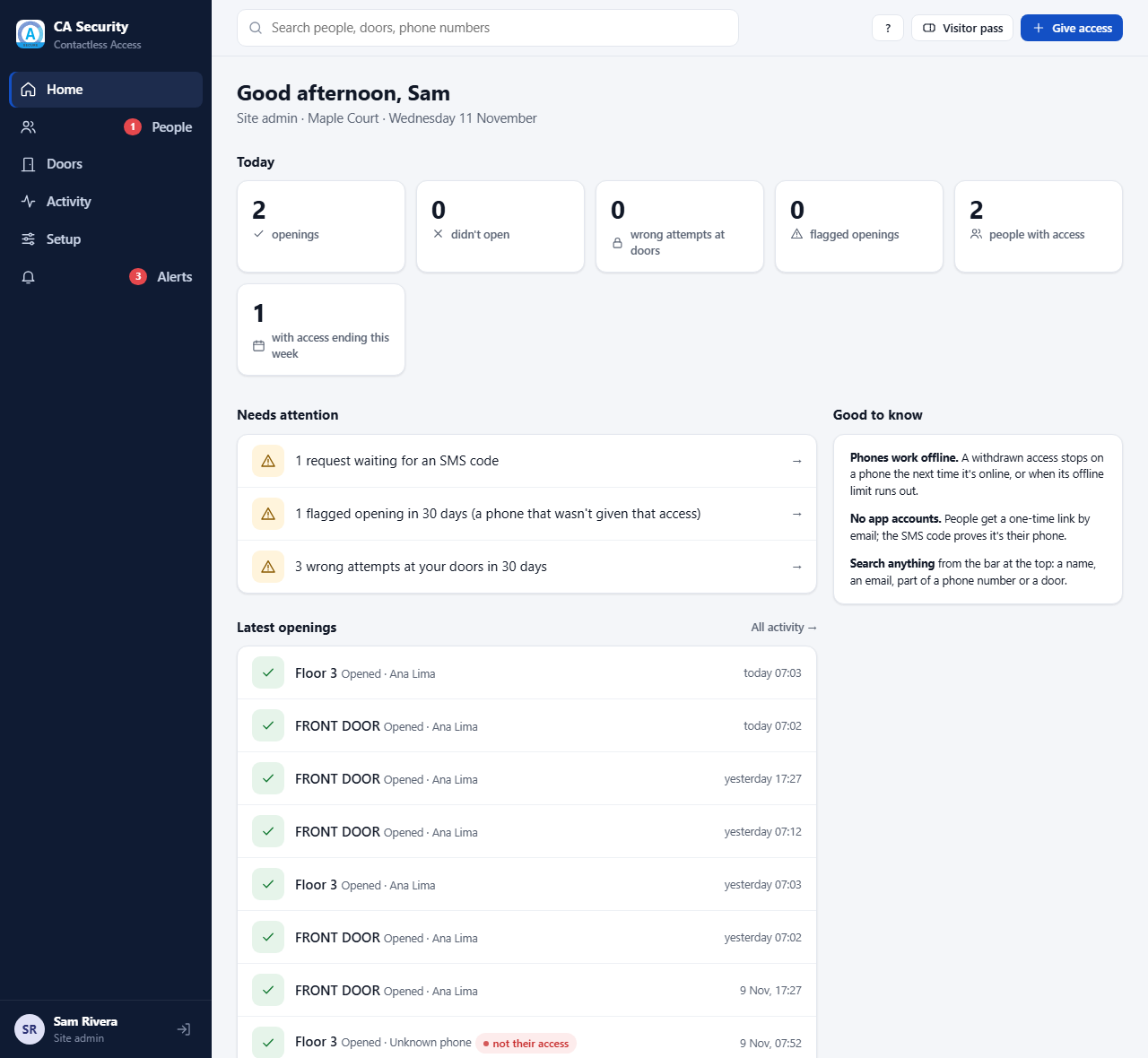
Home is the first page after you sign in. It tells you, at a glance, whether anything needs you.
Search
The search bar at the top finds:
- people, by name, email or part of a phone number;
- locks, by name, building or site.
Type and press Enter. For a phone number that isn't anyone's access, for example someone who tapped REQUEST, the results also link to "Openings matching …".
Today
Six numbers, each a link to the list behind it:
- openings: presses that opened a lock today;
- didn't open: presses that didn't open (outside hours, paused, and so on);
- wrong attempts at locks: wrong codes counted by the locks (firmware 1.2 and later);
- flagged openings: a phone opened a lock it wasn't given;
- people with access;
- with access ending this week.
A number in amber means something needs your eye.
Needs attention
A short list of things only you can sort out. Each line is a link. For example:
- accesses ready to hand over in person;
- an access locked after 2 wrong phone numbers: withdraw it and send it again;
- requests waiting for an SMS code;
- flagged openings or wrong attempts in the last 30 days;
- a phone that failed the phone check.
"Nothing is waiting." means you're up to date.
Latest openings
The last eight presses at your locks. Phones send them when they're online, so a press made in a basement may show a few minutes later.
Good to know
- Phones work offline. A withdrawn access stops on a phone the next time it's online, or when its offline limit runs out.