
Site, Building and Lock admins.
Some accesses ask for an SMS code when the person adds them. If the code didn't arrive, or they tapped REQUEST on a lock in CA Secure, they're waiting for you.
How do I answer a request?
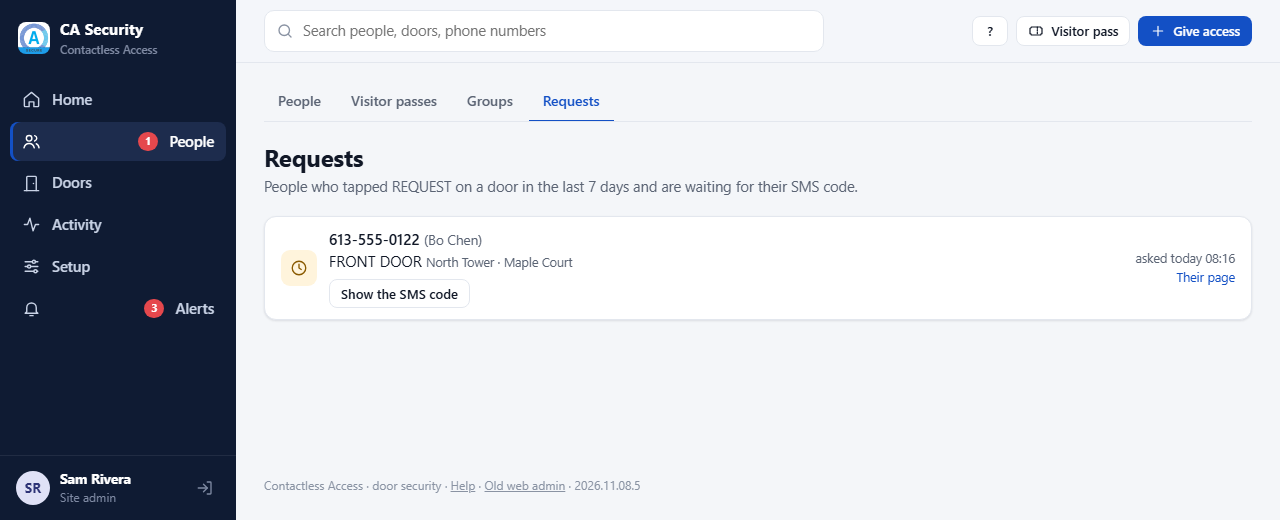
- Look for "requests waiting for an SMS code" under Needs attention on Home, or press People, then Requests.
- Check the person and the phone number. Press Their page if you need more.
- Press Show the SMS code and read it to them, for example on the phone or at the desk. Or press Text it to them, shown only when texting is on.
"This number isn't on the access's list: don't send a code"
The phone asking isn't the number the access was given to. Don't read out the code. Check with the person. If they changed numbers, withdraw the access and give it again with the new number.
"Locked: 2 wrong phone numbers"
Someone typed a wrong phone number twice while adding the link. The access is locked so nobody can keep guessing. Withdraw it and send it again.
Asking for a new SMS code
On a person's or a lock's page, Ask for a new SMS code makes them tap REQUEST in CA Secure and confirm with a new SMS code. Use it if you're not sure the right person has the phone.