
Site, Building and Lock admins, and Front desk. Viewers see Locks only.
How do I find a person?
- Press People.
- Type a name, email or part of a phone number, and press Show.
- Press the person to open their page.
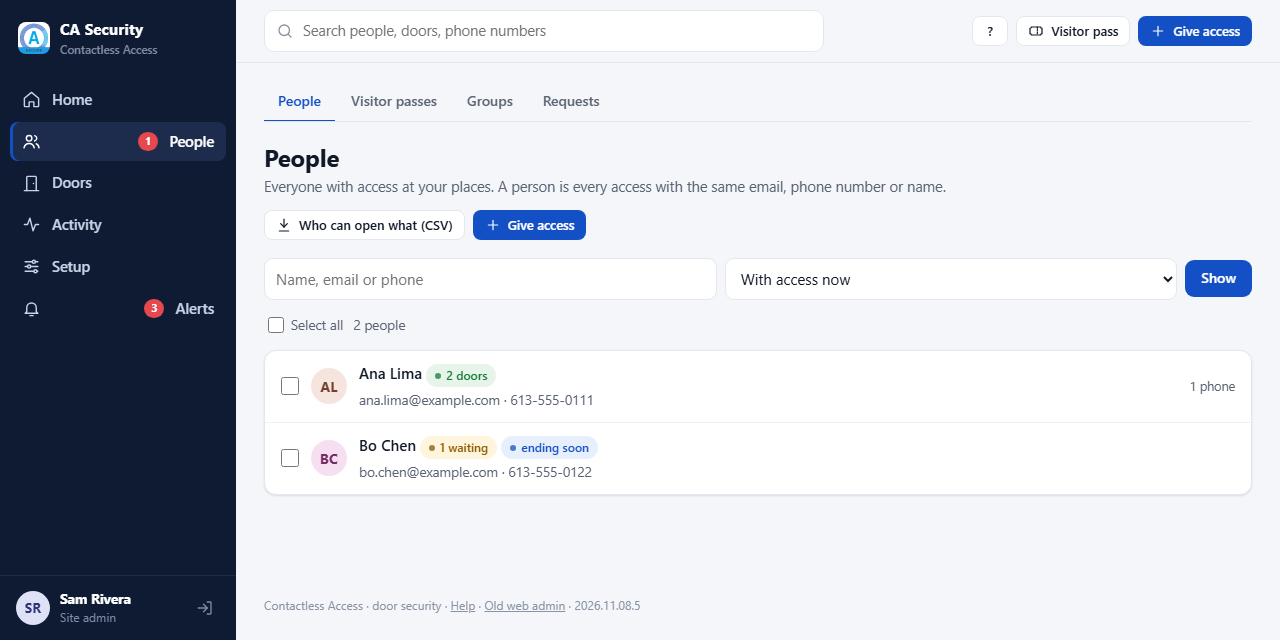
The list shows everyone with access now. To see others, choose from the list next to the search box:
- Active;
- Waiting (link not opened, or SMS code);
- Ending this week;
- No access left;
- Phone check failed;
- Locked: wrong phone numbers;
- Everyone.
One person, several accesses. A person is every access with the same email, phone number or name. So if Ana Lima was given the front door by email and Floor 3 by text, she shows once, with both.
What a person's page shows
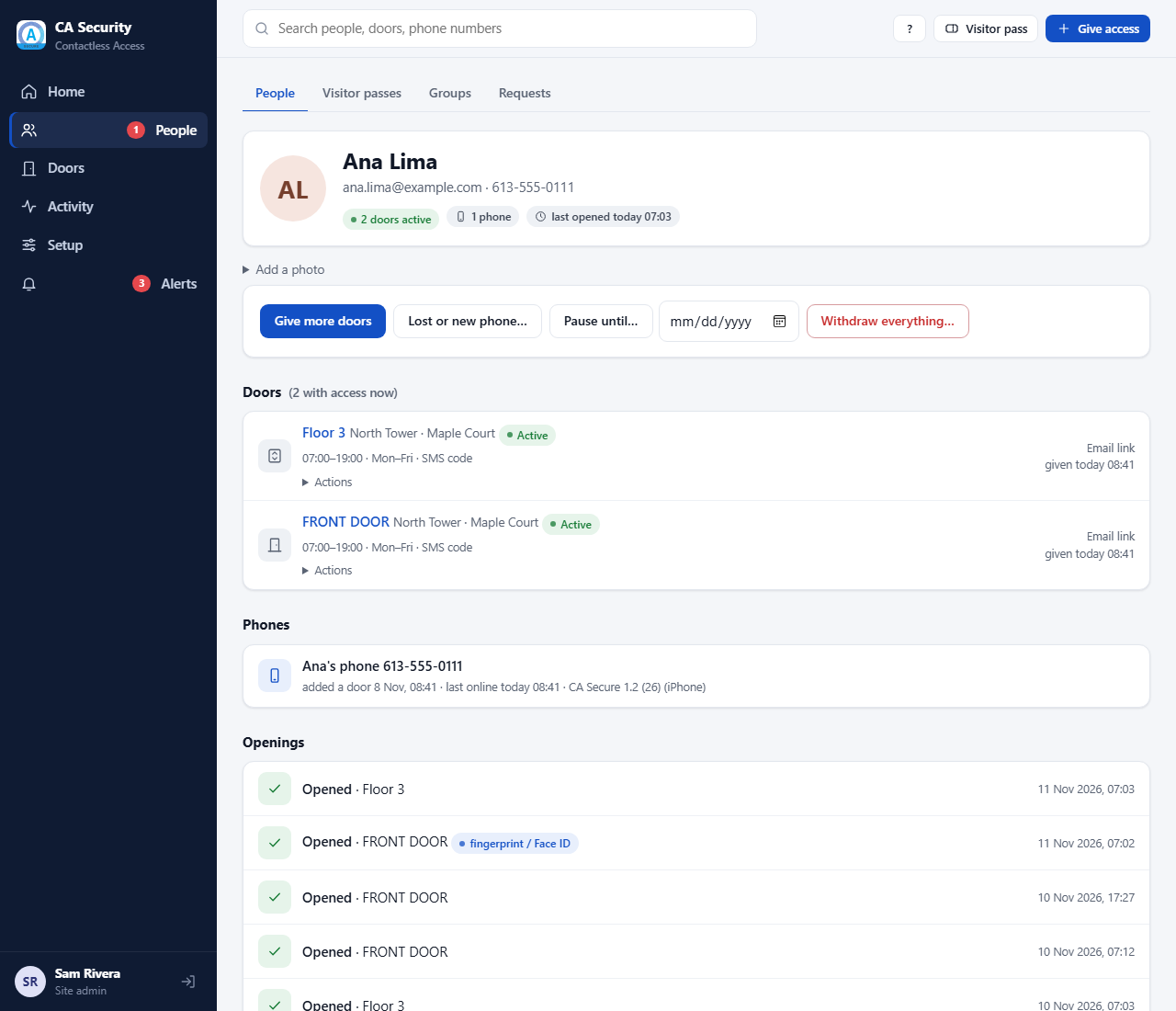
- At the top: their email and phone, and how many locks are active, waiting or ending. It also shows how many phones they use and when they last opened a lock.
- Locks: each door, floor or hall call, its state and its rules in words (for example "Mon–Fri 7:00–19:00 · SMS code"). The buttons under each one are covered in chapter 8. Possible states:
- Active;
- Link not opened yet;
- Waiting for SMS code;
- Paused;
- Ended;
- Withdrawn.
- Phones: each phone that added one of their links, when it was last online, and its CA Secure version.
- Waiting for an SMS code: shown if they asked for one (chapter 7).
- Openings: their last 20 presses. "All their openings" opens the full list.
- Changes: who gave, changed or withdrew their access, and when.
"Also written as" shows other spellings of the same person, for example "Ana" and "Ana Lima".
Two people show as one
If two people share a phone, an email or a name, they can show as one person. Ask Contactless Access to keep them apart. Their accesses are then always shown as separate people.
How do I see who can open a lock?
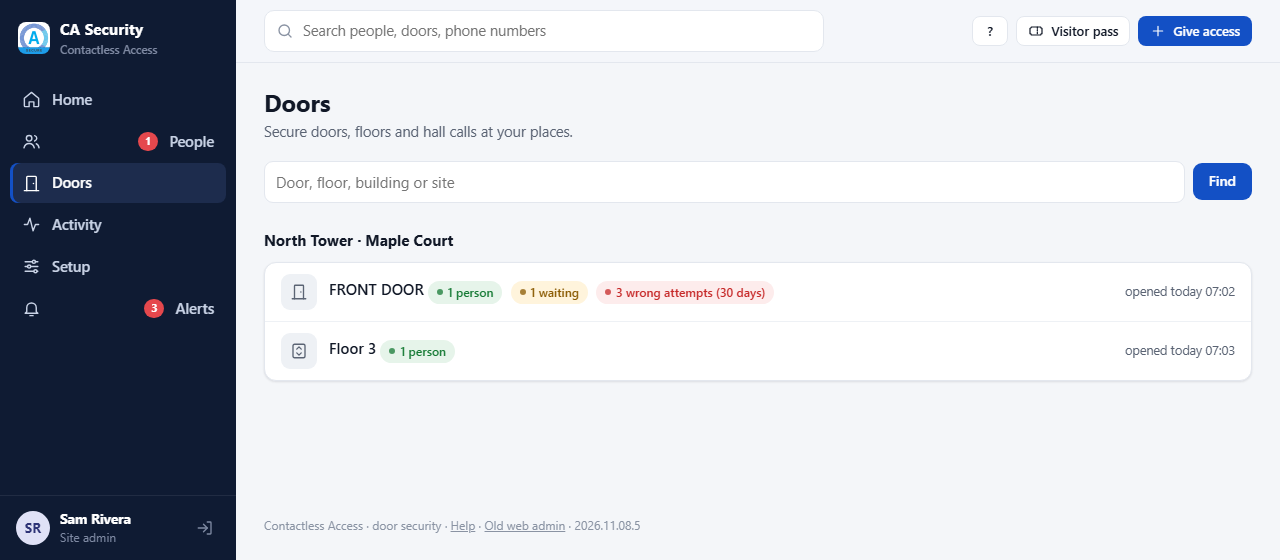
- Press Locks. Locks are grouped by site and building.
- Each lock shows:
- how many people can open it;
- how many are waiting;
- any wrong attempts in the last 30 days;
- when it last opened.
- Press a lock to open its page.
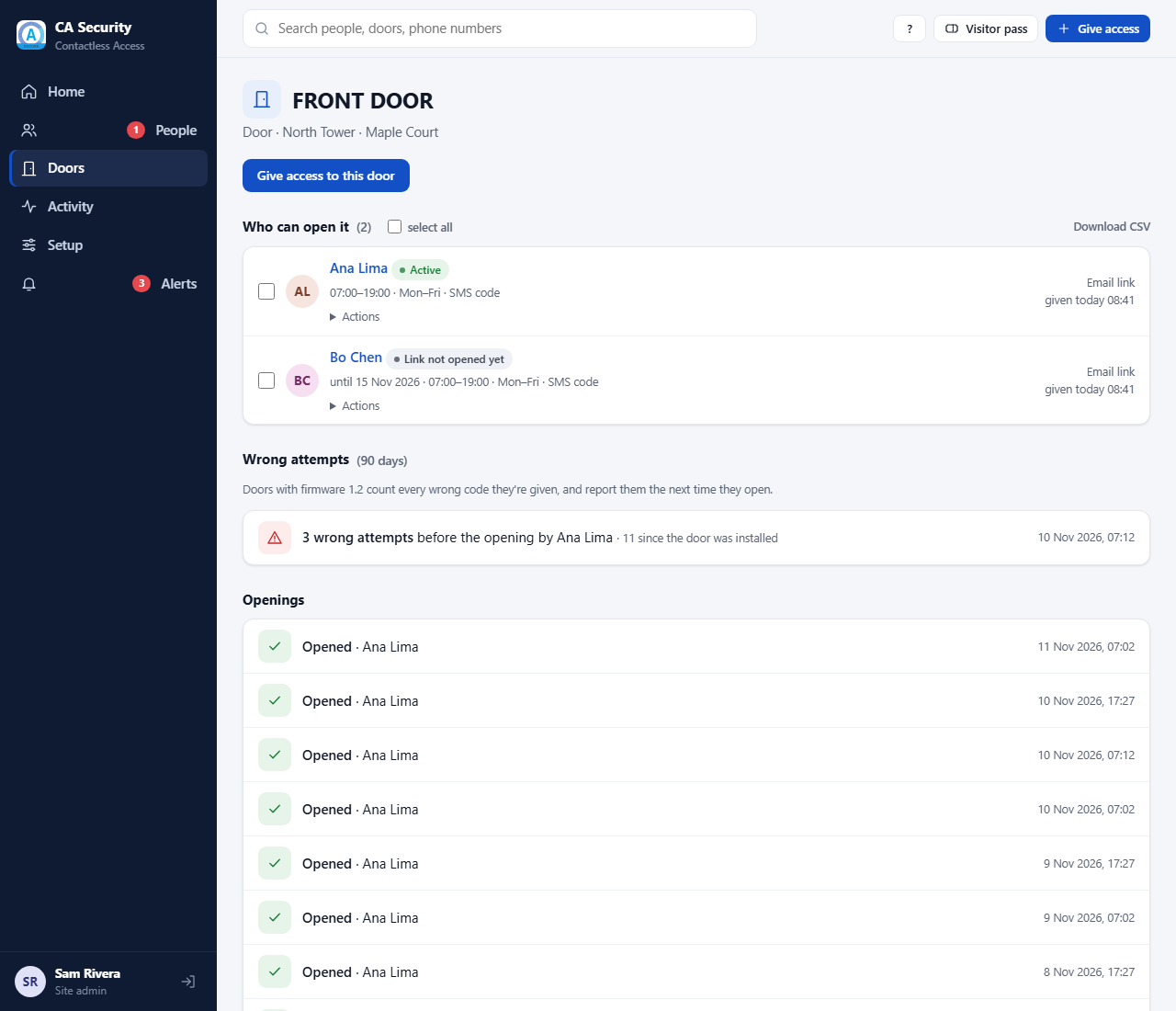
A lock's page has:
- Who can open it, with each person's rules and buttons, and Download CSV.
- Ended or withdrawn, folded away.
- Wrong attempts (90 days): locks with firmware 1.2 count every wrong code, and report them the next time a phone opens the lock.
- Openings: the last 30 presses.
"Not on the server: no new access" means the lock's PIN hasn't been sent yet. CA Utility sends it when the lock is installed. Until then you can't give anyone access to it.
Doing the same thing for many people
On People and on a lock's page, tick people (or Select all). A bar appears at the bottom:
- Ask for new SMS codes;
- Withdraw.
You get a check page listing exactly what will change before anything happens.