
Site, Building and Lock admins, and Viewers.
Press Activity. It has four lists.
Openings
Every press at your secure locks, newest first.
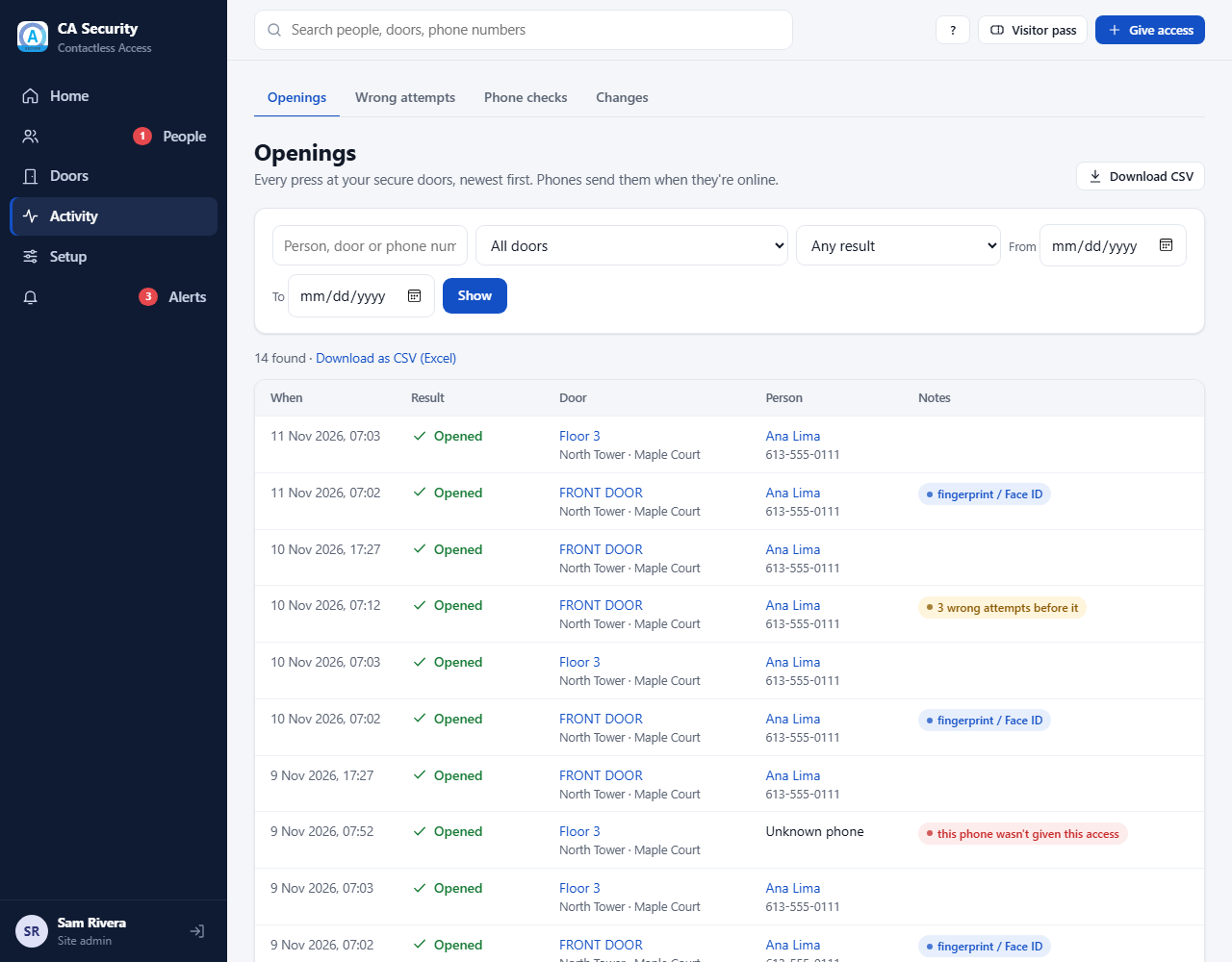
Filter by:
- person, lock or phone number (type in the box);
- lock (pick from the list);
- result: opened, didn't open, wrong attempts, flagged;
- from and to dates.
Press Show. Download as CSV (Excel) gives you the same list as a spreadsheet, up to 100,000 rows.
Flagged ("not their access") means a phone opened a lock it wasn't given. For example, someone copied a link to a second phone. Look at the person's page, and withdraw if needed.
Wrong attempts
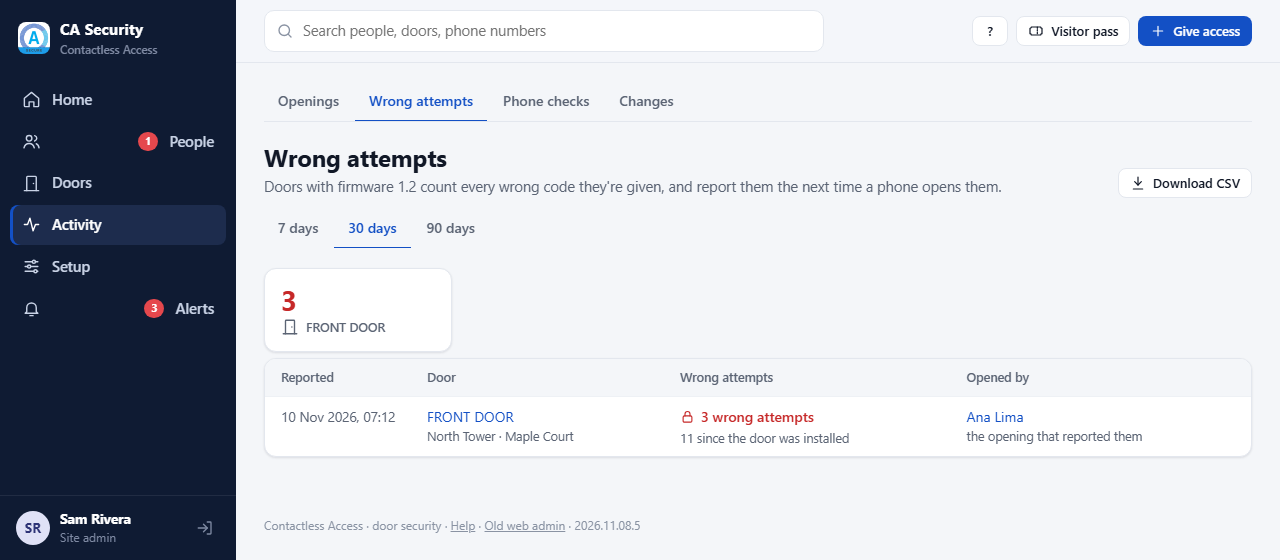
Locks with firmware 1.2 count every wrong code they're given, and report them the next time a phone opens them. Each line shows:
- how many wrong attempts were reported;
- the total since the lock was installed;
- the opening that reported them.
Download CSV is at the top.
Phone checks
Phones that didn't pass Google's or Apple's check at your locks in the last 90 days. A failed check means the phone may be rooted or modified, or not running CA Secure from the store. Talk to the person.
Changes
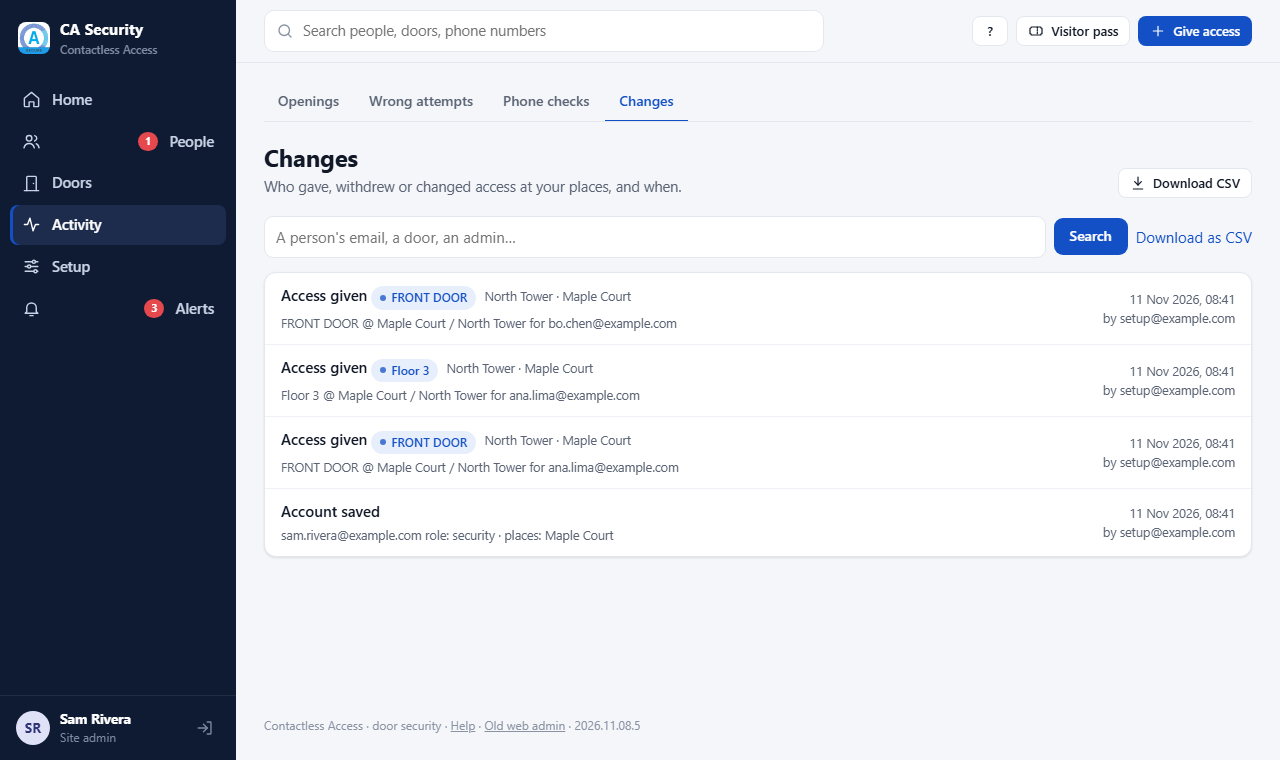
Who gave, withdrew or changed access at your places, and when. Search by a person's email, a lock, or the admin's email. Download as CSV at the top.
Good to know
- Phones send openings when they're online. A phone that was offline sends them later, with the time the lock really opened.
- Times are the site's local time.